Home Lab
Network Architecture
OPNsense, Omada SDN, VLAN segmentation, and layered DNS privacy running in a Chicago apartment.
The Philosophy
Most home networks are flat and implicit trust is everywhere. Mine isn't. OPNsense handles routing and IPS, VLANs segment device classes, and all DNS queries resolve through Pi-hole and Unbound before leaving the network over TLS.
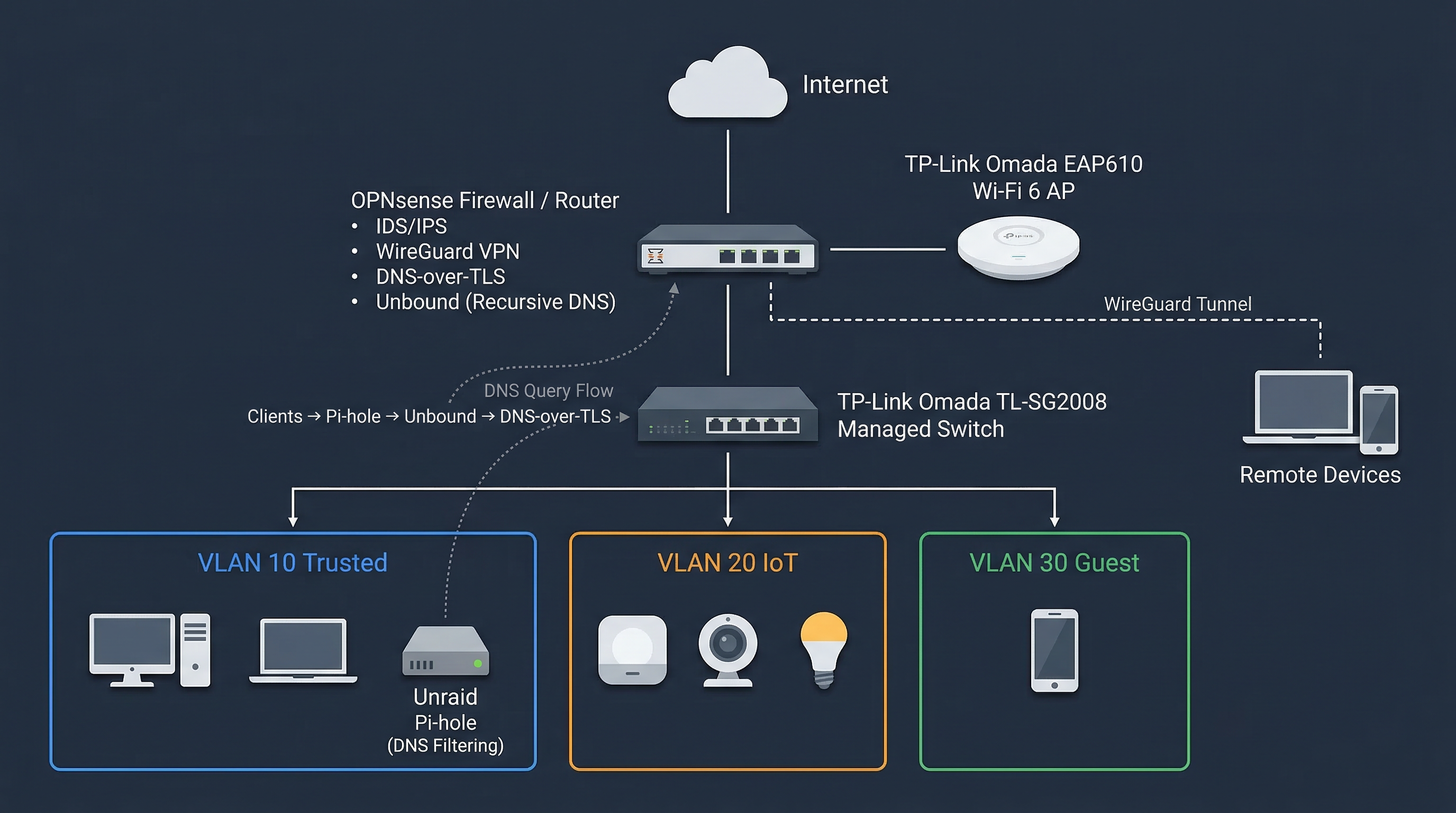
Hardware Stack
Firewall / Router
Dell Optiplex (Intel i5-6500 | 8GB RAM) running OPNsense
Switching
TP-Link Omada TL-SG2008 v3.0 (Managed)
Wireless
TP-Link Omada EAP610 v2.0 (Wi-Fi 6)
Controller
Software-based Omada Controller hosted as a Docker container on Unraid
VLAN Segmentation
| VLAN | Name | Purpose | DNS Policy |
|---|---|---|---|
| 10 | Trusted | Primary devices (MacBook, Desktop, Unraid) | Pi-hole + Unbound |
| 20 | IoT | Smart home devices, cameras | Pi-hole (Restricted) |
| 30 | Guest | Visitors | Standard Upstream |
Layered Security
- IDS/IPS: OPNsense monitors the main traffic lanes for known malicious signatures.
- DNS Privacy: Trusted queries resolve through Pi-hole, then recursive Unbound, then DNS-over-TLS to Cloudflare.
- WireGuard: MacBook Pro and mobile devices maintain an encrypted tunnel back to the home lab when off-network.